
ArtCraft Apps and PhotoCraft Review: What's Real in 2026
The ArtCraft Crafting Apps reviewed from today's GitHub pages: PhotoCraft, EffectCraft, FilmCraft and ten more, real vs roadmap, install, and the AI gaps.
 Marcus Tan 12 min read
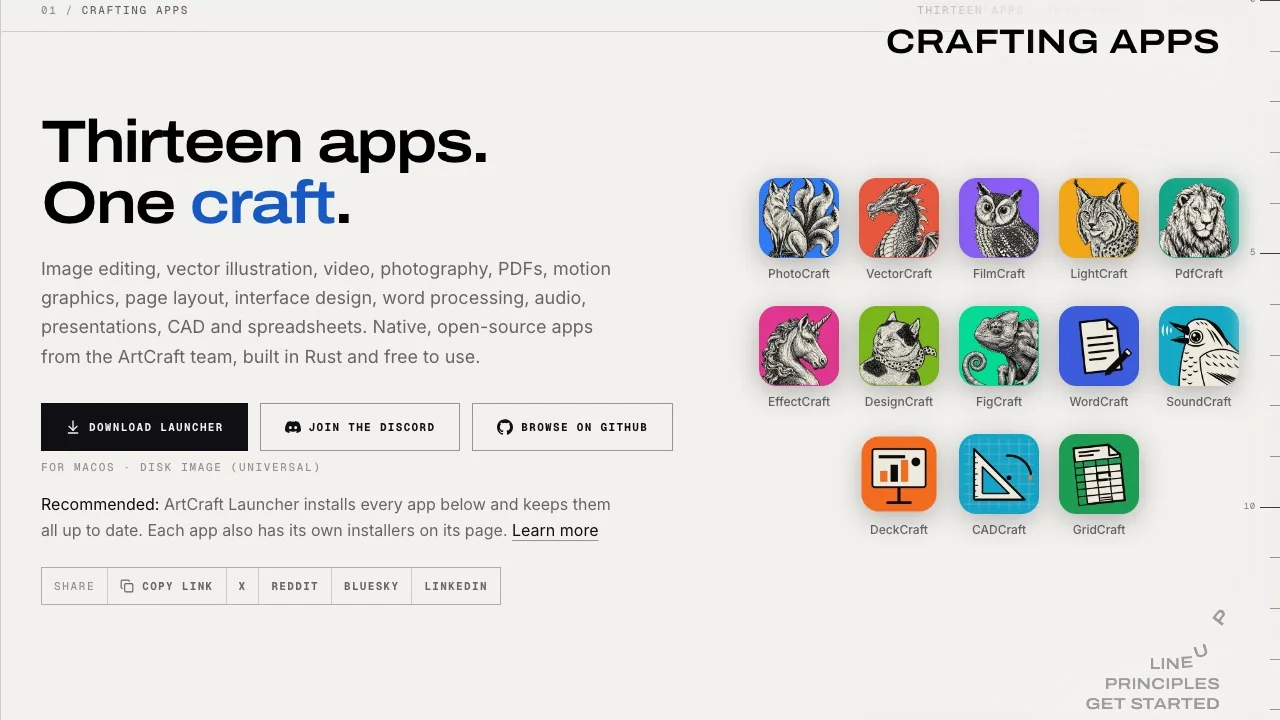
Two days after we published our first PhotoCraft review, the project shipped two more releases, and the team behind it now lists thirteen open-source "Crafting Apps" that rebuild Photoshop, After Effects, Premiere Pro, Lightroom, Illustrator, Acrobat and more in Rust. So this is now a family review. It covers what each app is, how far along its own maintainers say it is, what the GitHub pages showed on 15 October 2026, how to install the real builds and not a look-alike, and where a browser AI tool still has to do the generative work the suite leaves out. We did not benchmark the apps; every number here comes from a page we opened today, with the date beside it.
What is ArtCraft, and which ArtCraft do you mean?
The name covers three different things, and the search results mix them up:
- The studio: an AI image and video app for Windows, macOS and the browser, sold on credits, open source at storytold on GitHub. Its homepage calls it "the open-source studio for controllable AI image and video" and lists 2D and 3D compositing, character posing, background removal and image-to-3D next to hosted models.
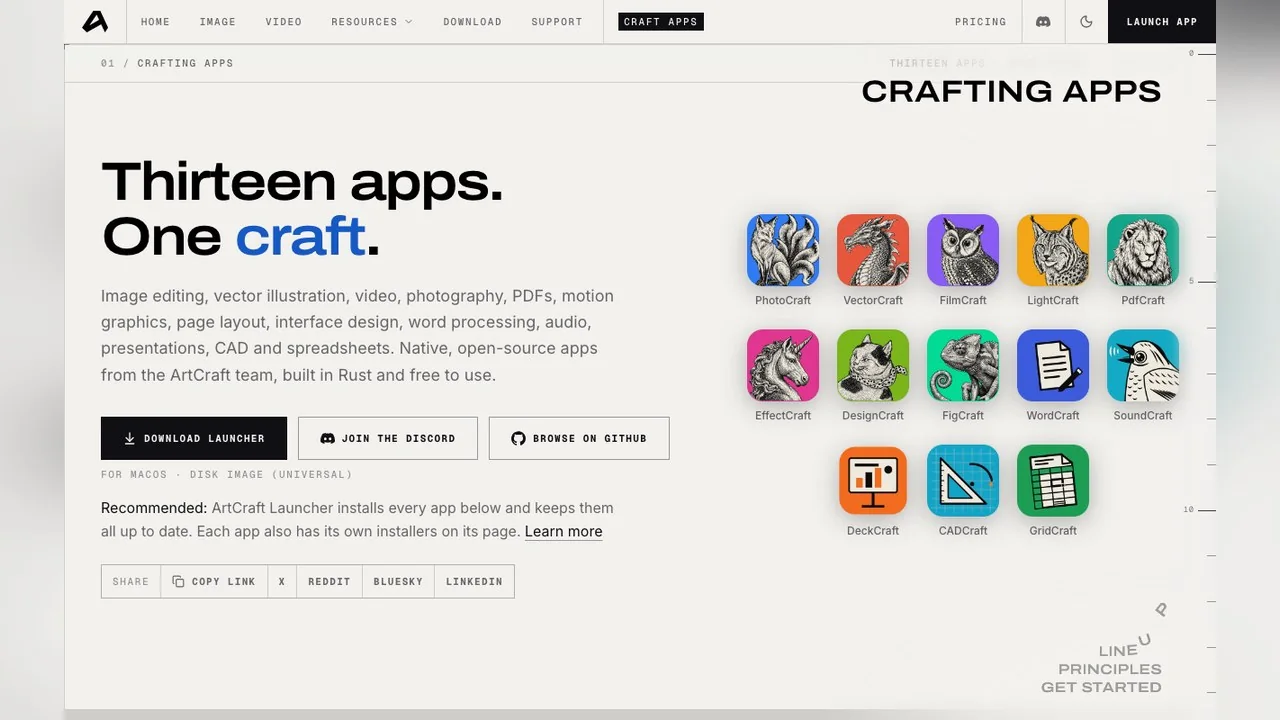
- The Crafting Apps: thirteen free desktop editors (PhotoCraft, VectorCraft, FilmCraft, LightCraft, PdfCraft, EffectCraft, DesignCraft, FigCraft, WordCraft, SoundCraft, DeckCraft, CADCraft, GridCraft) listed on the apps page, each a "clean-room" rebuild of a well-known commercial program in pure Rust. This review is mostly about these.
- Unrelated businesses that share the name, including photo print shops. If you typed "artcraft photo" looking for prints or frames, none of the software below is what you wanted.
The studio and the apps are built by the same team and share a launcher, but they are different products with different business models. The apps are free and need no account. The studio asks you to create a free account on its download page and sells generation credits, which we cover in the pricing section.
Who builds the Crafting Apps, and how were they made?
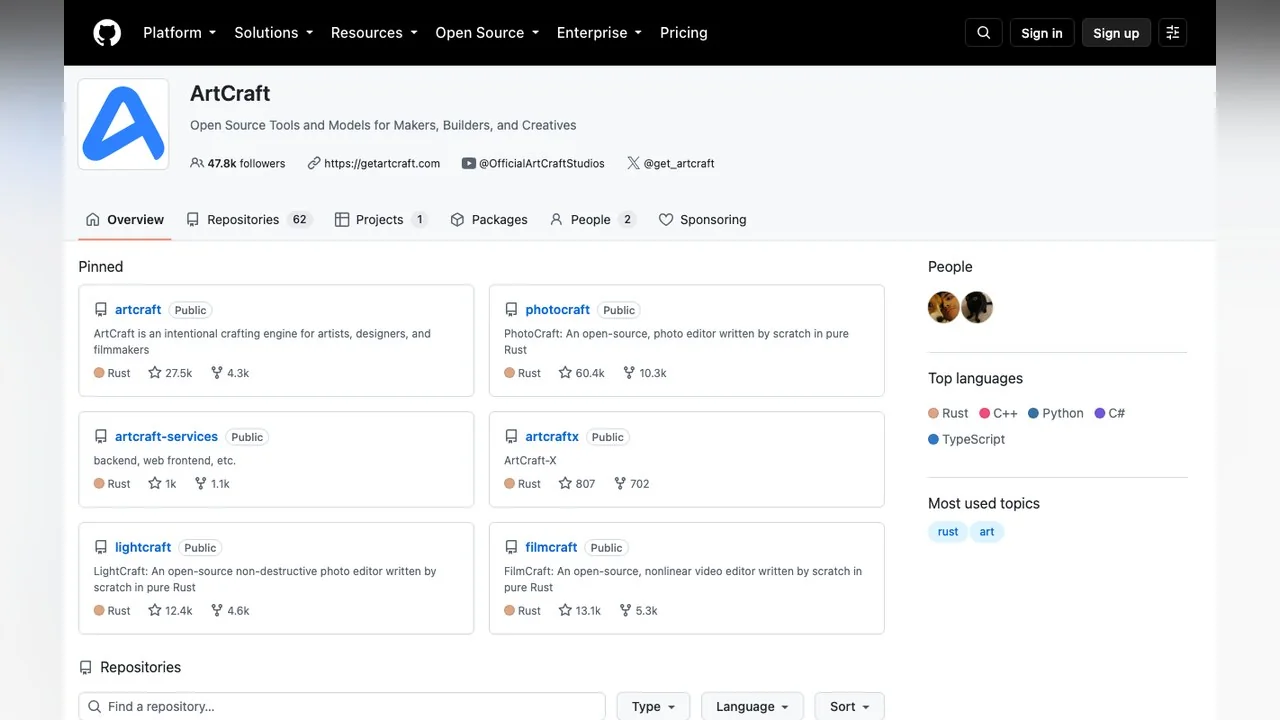
The code lives in the storytold organisation on GitHub, which describes itself as "Open Source Tools and Models for Makers, Builders, and Creatives" and had 62 repositories on 15 October 2026. Every Crafting App repository we checked is dual-licensed Apache-2.0 or MIT and written in Rust.
On who did the work, the two main press reports differ, so we attribute each. PetaPixel (7 October) names founder Brandon Thomas, formerly of Storyteller.ai and Square, and quotes his Reddit post saying he used an AI coding model to recreate seven Adobe apps while calling himself "not a casual vibe coder". Futurism (8 October) describes a four-person team and quotes a co-founder, Michael Caffrey, saying they "were shocked by how well they actually worked internally, so decided to open source them". PhotoCraft's own roadmap measures its remaining work in "Opus 5.5 agent wall-clock hours", which settles the method if not the headcount.
"Clean-room" means the apps were written from public behaviour and file-format documentation rather than from Adobe's code. PetaPixel notes that patents are a separate question that nobody has tested yet. The Hacker News thread on the launch is the best single place to read practitioners pushing back: limited RAW support, PSD files that changed on save, and the usual doubts about AI-written code at this scale.
ArtCraft apps compared: all thirteen at a glance
The table below is the whole family as the apps page and the GitHub API showed it on 15 October 2026. "Status" is the label on the apps page; stars and release tags are from GitHub the same day. Every app in the list shipped a tagged release on 14 October, which tells you how fast this is moving.
| App | Rebuilds | Status on apps page | GitHub stars | Latest release |
|---|---|---|---|---|
| PhotoCraft | Photoshop | Early alpha | 60.4k | v0.9.0, 14 Oct |
| FilmCraft | Premiere Pro | In development | 13.1k | v0.8.0, 14 Oct |
| PdfCraft | Acrobat | Early alpha | 13.5k | v0.8.0, 14 Oct |
| LightCraft | Lightroom | In development | 12.4k | v0.8.0, 14 Oct |
| WordCraft | Microsoft Word | In development | 12.1k | v0.7.0, 14 Oct |
| VectorCraft | Illustrator | In development | 8.8k | v0.11.0, 14 Oct |
| EffectCraft | After Effects | In development | 6.5k | v0.10.0, 14 Oct |
| GridCraft | Excel | In development | 4.8k | v0.7.0, 14 Oct |
| CADCraft | AutoCAD-style CAD | In development | 4.7k | v0.7.0, 14 Oct |
| DesignCraft | InDesign | In development | 3.9k | v0.8.0, 14 Oct |
| DeckCraft | PowerPoint | In development | 3.2k | v0.7.0, 14 Oct |
| SoundCraft | Pro Tools | In development | 2.7k | v0.7.0, 14 Oct |
| FigCraft | Figma-style UI design | Early alpha | 780 | v0.6.0, 14 Oct |
Two more things sit outside the grid. The launcher (craft-launcher on GitHub, created 9 October) installs and updates all of the apps; GitHub showed v0.4.1 from 13 October while the apps page still offered v0.3.2. And a fourteenth repository, AniCraft, "an open-source 2D animation editor", was created on 14 October with no release yet, so expect the grid to grow.
Repository creation dates are a useful reality check: PhotoCraft, FilmCraft, LightCraft, VectorCraft and PdfCraft were created on 30 September 2026, EffectCraft and DesignCraft on 1 October, the office-style apps on 7 October and FigCraft on 9 October. Nothing here is older than three weeks.
PhotoCraft review: what changed since our first look
Our 13 October PhotoCraft review found a repository at about 53.9k stars on v0.8.2. On 15 October the repository showed 60.4k stars, 10.3k forks and 11 tags, with v0.9.0 published on 14 October. The v0.9.0 notes add loading and saving of Photoshop Actions (.atn), wider CMYK handling, a DPX frame codec and more automation commands. The README still opens with "PhotoCraft is in early alpha, and we want to be straight about where it stands".
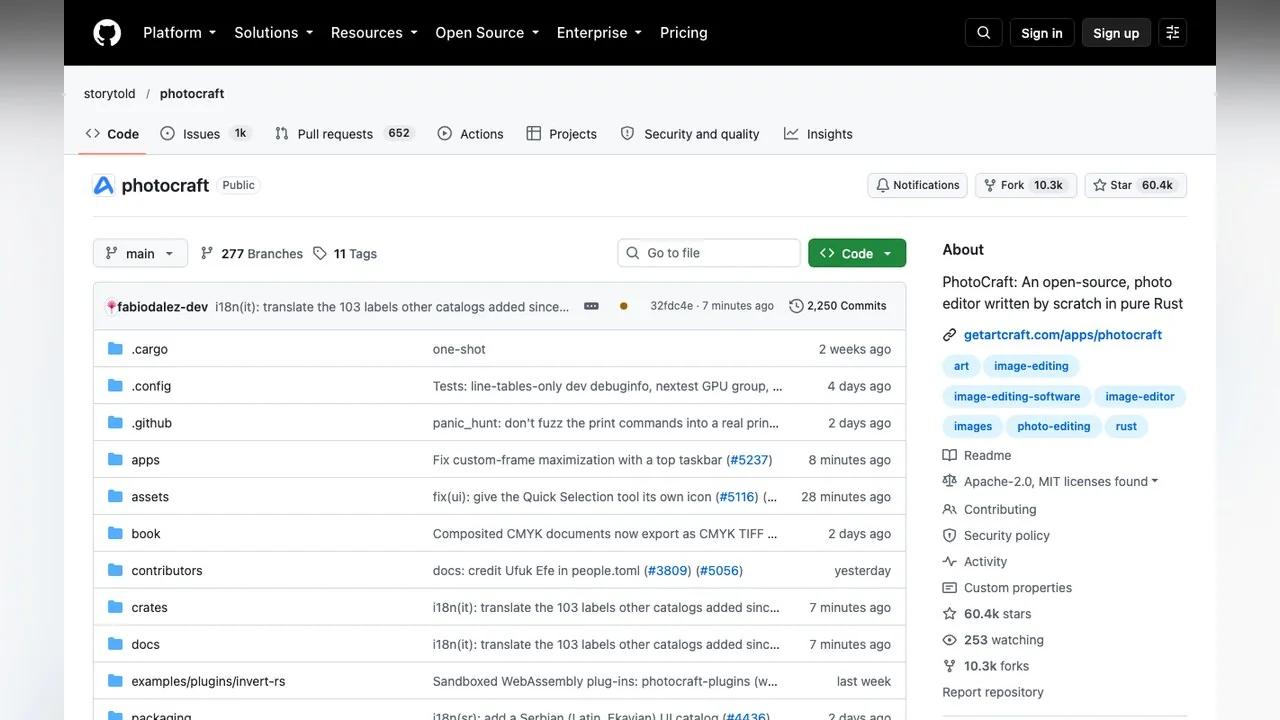
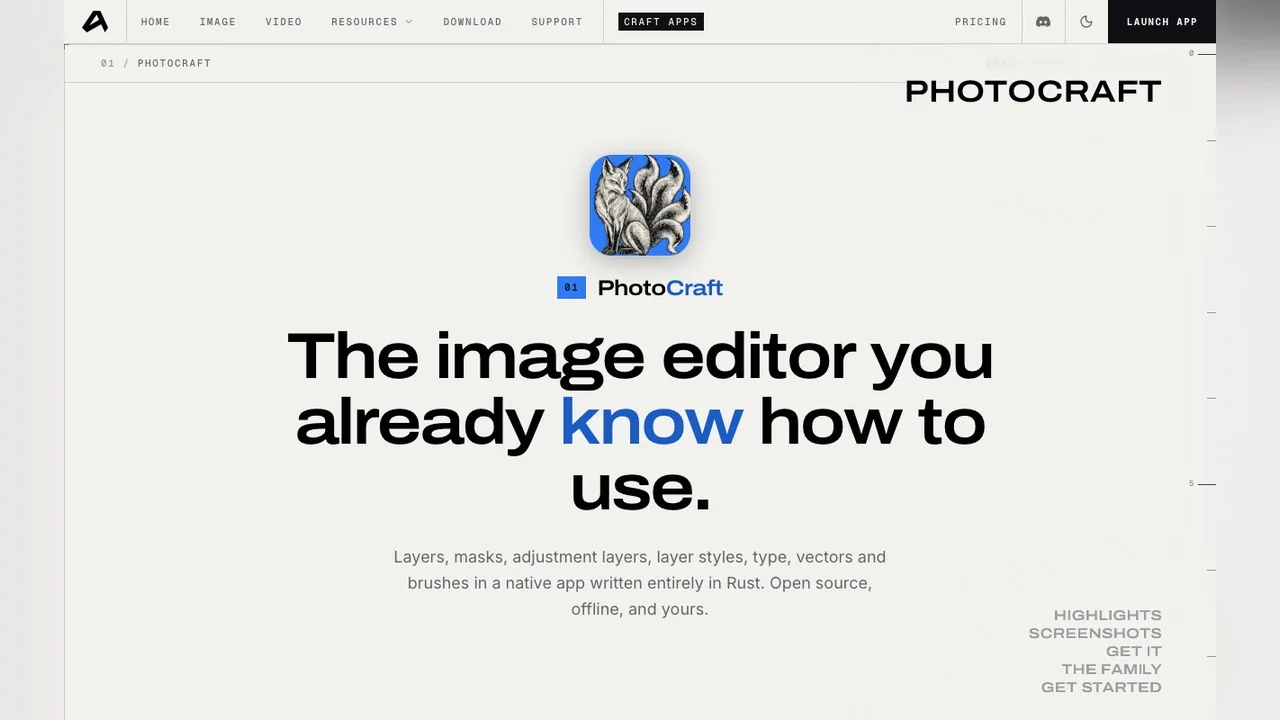
The feature claims have not moved much in two days, which is fine; they were already long. The README counts 67 tools, 16 adjustment layers, a brush engine with dynamics, layer groups with masks, 27 Photoshop blend modes, and 8, 16 and 32-bit colour in RGB, Grayscale, CMYK and Lab. For PSD files it quotes 307 of 309 files in the psd-tools set rendering identically after a round trip, and 169 of 170 in a mixed ag-psd and psd-tools set. The app page quotes a third figure, 134 of 135 real-world files round-tripping byte for byte, and still shows version 0.7.0 while GitHub is on 0.9.0, a lag you will see on every app page.
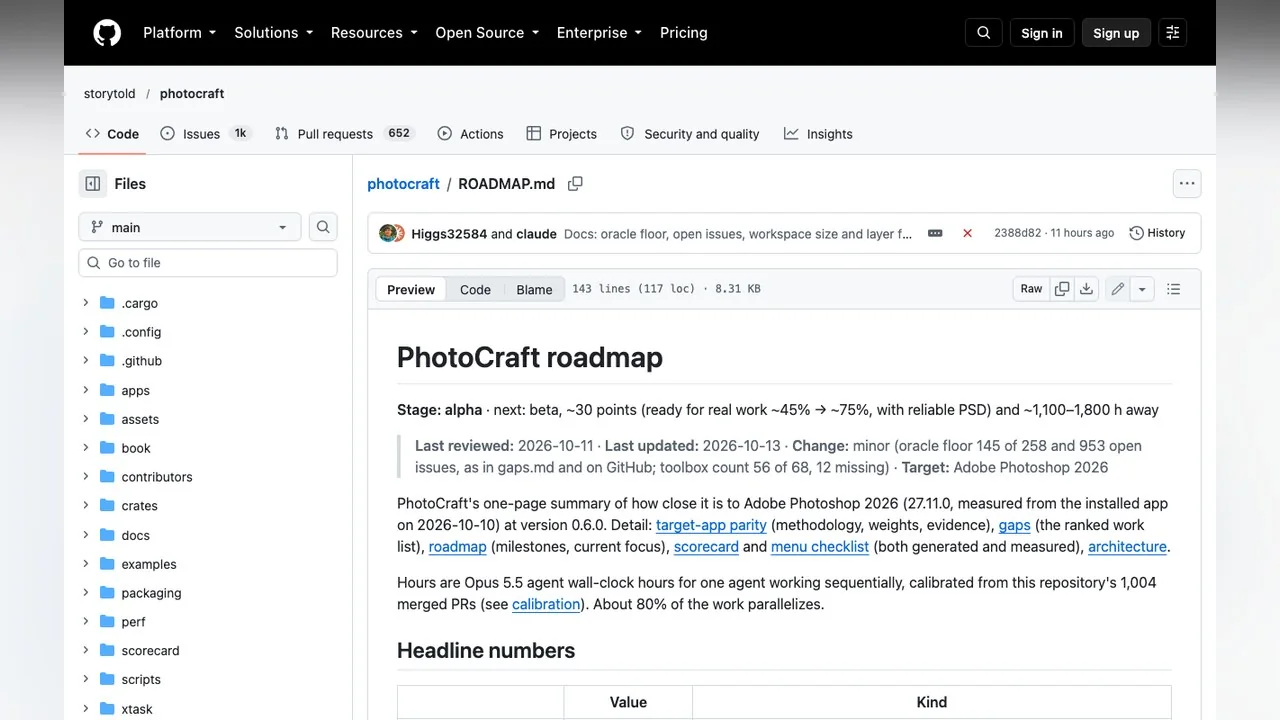
The roadmap is the honest part. As updated on 13 October 2026 it scores the app at about 76% feature breadth against Photoshop 2026, about 45% ready for real work, about 61% of core features for an essentials user, 3 of 25 performance budgets met, 10% on AI features and 15% on plug-ins and scripting. It lists 953 open issues and says beta needs roughly 75% readiness plus PSDs that Photoshop reliably accepts. Keep a copy of any PSD you save from it; that gap is still open.
EffectCraft review: the After Effects rebuild
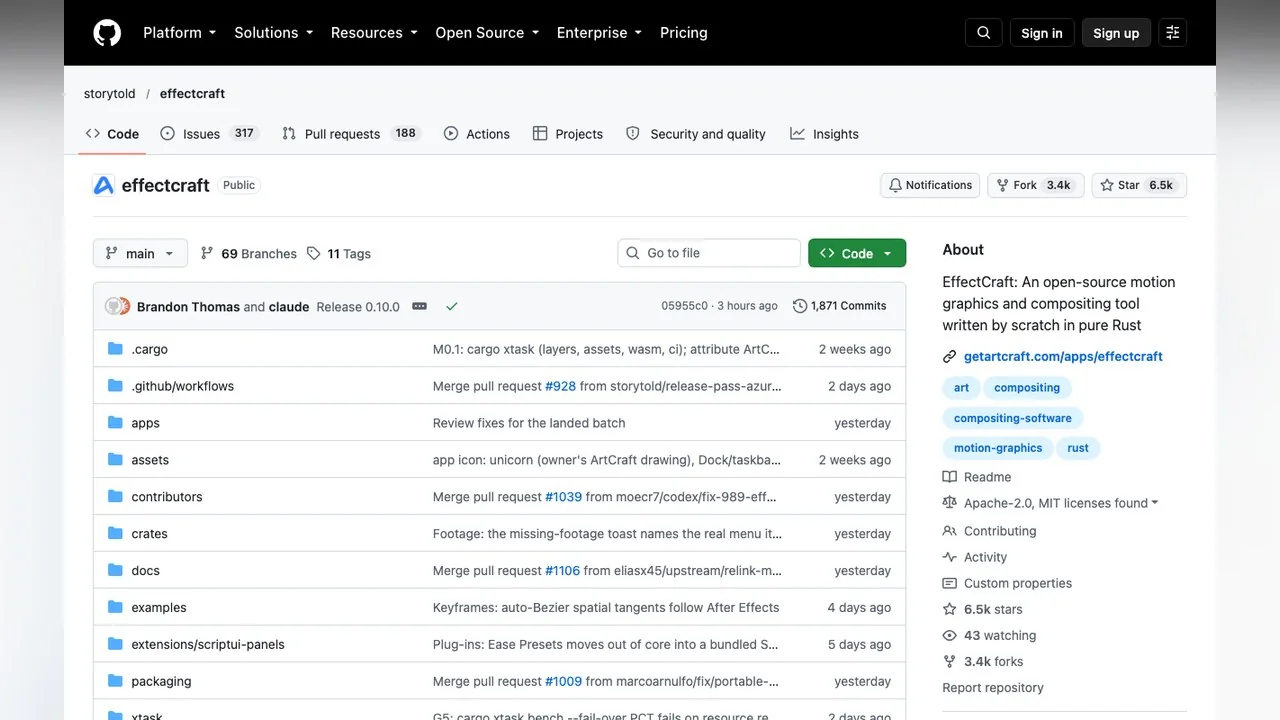
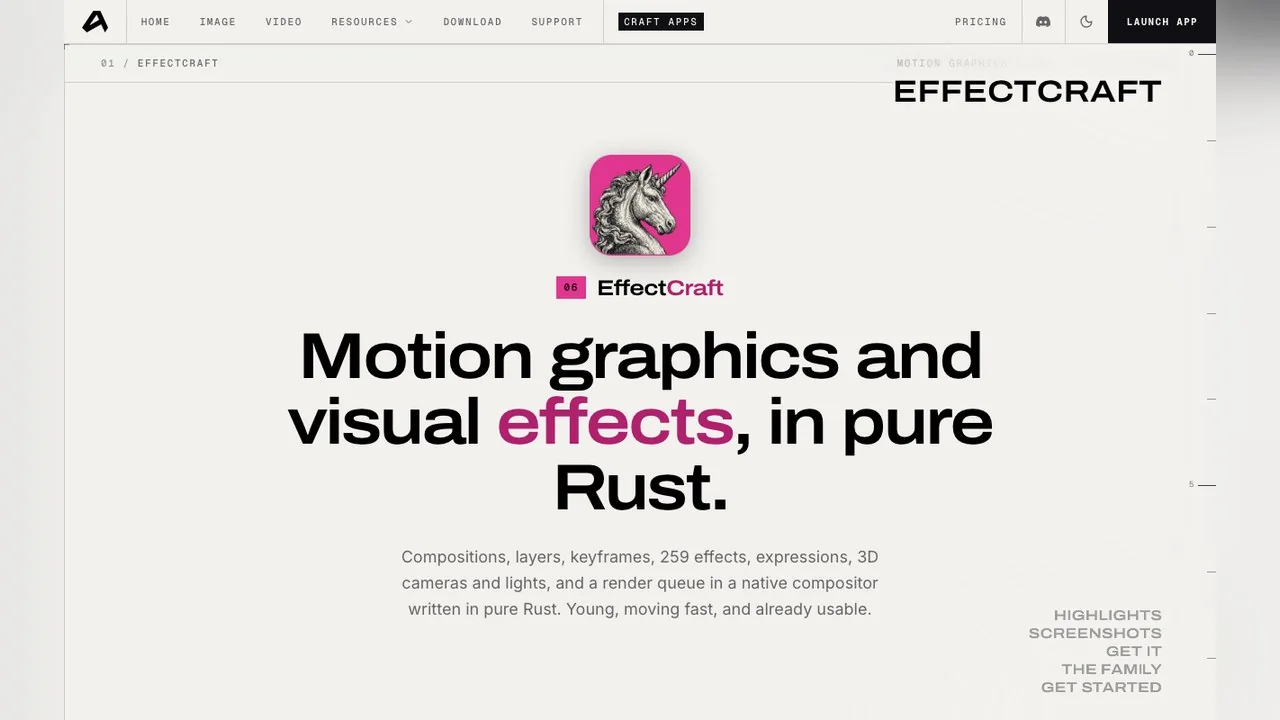
EffectCraft is "an open-source, clean-room reimplementation of Adobe After Effects, rebuilt in pure Rust". The repository was created on 1 October 2026 and on 15 October showed 6.5k stars, 3.4k forks and v0.10.0 as the latest release, published 14 October. The README calls the project alpha, "young and moving fast", and estimates that about 91% of After Effects' features exist while the app is about 45% of the way to replacing it for professional work.
What is in: compositions, layers and keyframes; text animators; JavaScript expressions with wiggle, loops and layer references; 3D cameras and lights with depth of field; layer styles; puppet tools; Lottie import and export; and native H.264, ProRes, HEVC, AV1 and VP9 codecs. The effects count is a good example of why you should read both sources: the README says 306 effects, the app page says 259 and shows version 0.8.0. What is out, by the project's own list: it cannot open After Effects projects (.aep or .aepx) and has no compatibility with Adobe plug-ins. The v0.10.0 notes mention track mattes on adjustment layers and reworked particle effects, so the gaps are being filled in public.
FilmCraft review: the Premiere Pro rebuild
FilmCraft describes itself as "an open-source, nonlinear video editor written by scratch in pure Rust" and "a clean-room take on the Adobe Premiere Pro workflow". Created on 30 September 2026, it showed 13.1k stars, 5.3k forks and v0.8.0 (14 October) when we checked. Its README measures itself at about 86% feature breadth and 56% readiness for real work against Premiere Pro 26.5.2, measured on 10 October.
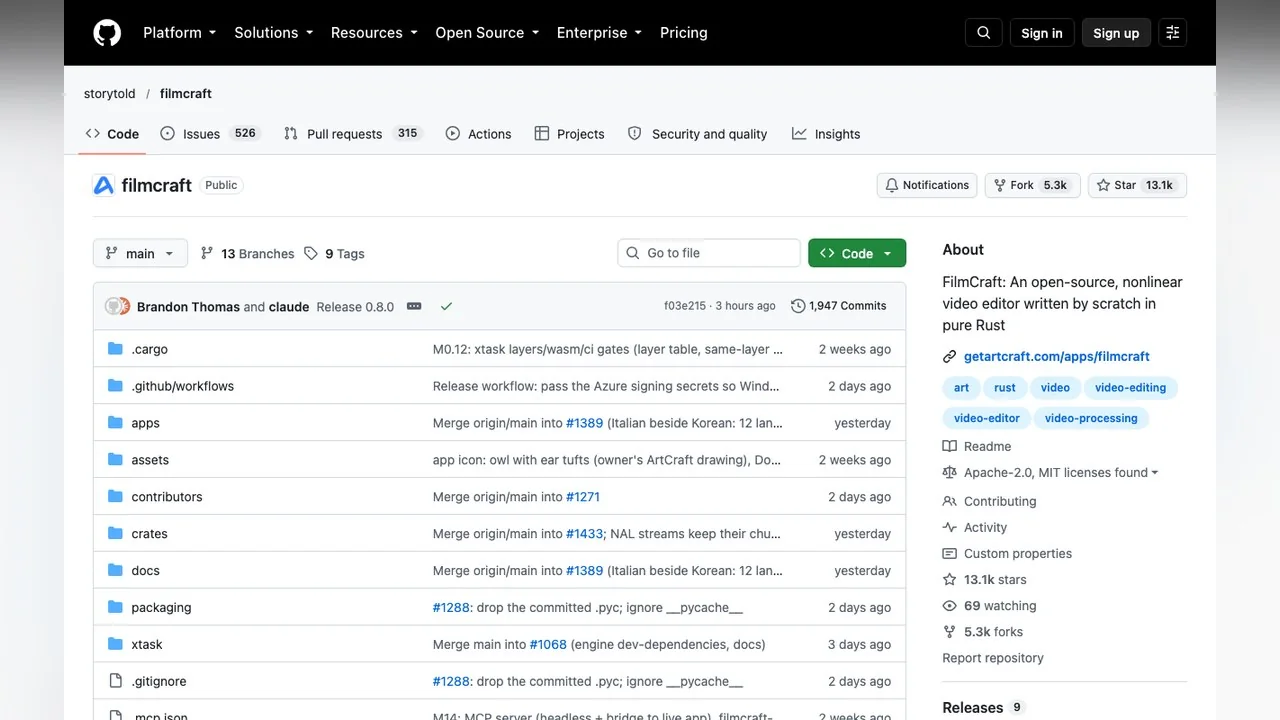
The README lists a multi-track timeline with source and program monitors, a Lumetri-style colour panel with curves, wheels and HSL secondaries, keyframes with Bezier and velocity graphs, loudness meters, an OpenType text engine, native H.264, HEVC, ProRes, AAC, Opus, VP8, VP9 and AV1 decoding, interchange through FCP7 XML, FCPXML, AAF, OMF, CMX EDL and OTIO, and more than 650 engine commands for agents and the command line. Again the two sources disagree on a count: the README says 93 or more video effects, the app page says about 55 and shows version 0.6.0.
The gaps matter more for video than for stills. FilmCraft cannot open .prproj projects, has no plug-in support (VST3, Audio Units or OpenFX), does its colour work and export on the CPU, has no AV1 software export and no camera RAW. If your work is a 4K timeline with third-party plug-ins, that is a no for now; if it is cutting phone footage with titles and a grade, it is already worth a look.
LightCraft, VectorCraft, PdfCraft and the rest
The other apps follow the same pattern: a README with a self-assessed percentage, a gaps list and a release every day or two.
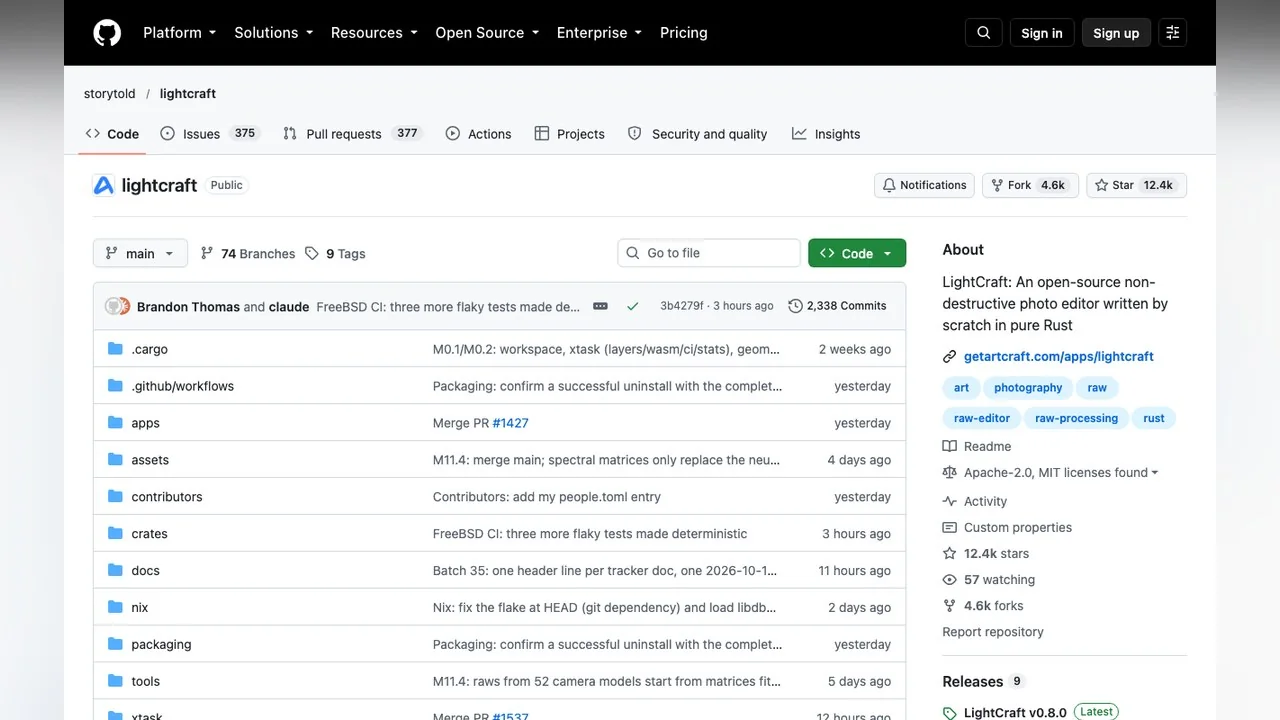
- LightCraft (Lightroom): 12.4k stars. The README claims about 81% of Lightroom's features and 61% readiness for day-to-day replacement, 49% for a typical photographer. RAW development runs through a 32-bit float pipeline; the listed gaps are camera colour profiles, AI masks and denoise (classical methods stand in), HDR display, video and the Classic print, book and map modules.
- VectorCraft (Illustrator): 8.8k stars, alpha as of 10 October, about 65% ready for mainstream illustration by its own estimate, with drawing tools, Pathfinder operations, gradients and type described as "close to usable".
- PdfCraft (Acrobat): 13.5k stars, about 57% feature parity with Acrobat Pro's offline features and 55% toward full replacement; good for viewing, organising, combining, commenting and forms, weak on text editing, OCR and Office import.
- WordCraft, GridCraft, DeckCraft, SoundCraft, CADCraft, DesignCraft and FigCraft: all "In development" or early alpha, all with 14 October releases, all too new for us to say more than that they exist and install.
What is real and what is roadmap?
A fair reading of the suite on 15 October 2026 separates three kinds of claim:
| Claim | Where it comes from | How to read it |
|---|---|---|
| "76% of Photoshop", "91% of After Effects", "86% of Premiere" | Each README's own scorecard | Self-measured feature counts; a feature can exist and still be slow or wrong |
| "45% / 56% ready for real work" | Each README's own scorecard | The number to trust; it is the maintainers saying not yet |
| Version 0.7.0 / 0.8.0 / 0.6.0 on the app pages | getartcraft.com/apps | Lags GitHub by two or three releases; installers from GitHub are newer |
| "Thirteen apps, installers ready" | getartcraft.com/apps | True: every app has builds for macOS, Windows and Linux; readiness varies by app |
| "100% feature parity within a month" | Founder quote in PetaPixel | A goal, not a status; the roadmap itself gives beta as the next milestone |
None of that is a criticism of the project, which publishes its own gaps more openly than most commercial software. It is a warning about the fan sites and blog posts that copy the feature list and drop the percentages.
Is ArtCraft free? Apps vs studio pricing
The Crafting Apps are free, open source and need no account. The studio is also free to start, needs an account, and sells credits for hosted generation. The pricing page on 15 October 2026 showed a "Limited-time offer: Save 20% on every plan" banner and three plans billed yearly: Basic at $8 a month ($96 a year) with 1,000 credits a month, Pro at $28 ($336) with 3,750 credits, and Max at $48 ($576) with 6,600 credits, plus a custom Enterprise tier. Credits pay for images and videos from hosted models; the page says failed generations are refunded and that you can bring your own compute and third-party subscriptions instead.
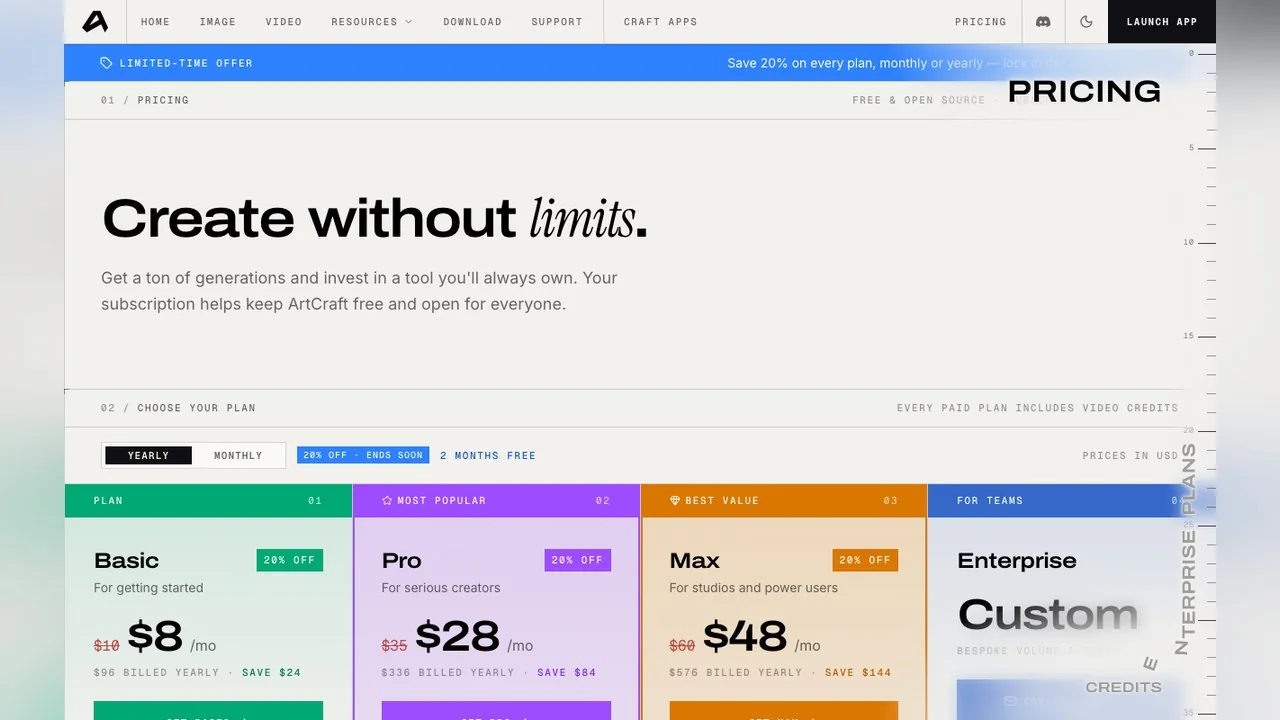
So the honest answer to "is ArtCraft AI free" is: the editors are, the generation is metered. That is the same shape as most AI image tools, including LazyKiwi, which gives free credits on sign-up and shows the cost before you generate.
How to download and install the apps safely
This matters more than it did two weeks ago. When we searched "photocraft review" on 15 October, the first two pages were mostly look-alike domains offering downloads, with the official app page in third place and GitHub in fourth. The project has not endorsed any of them.
- 1
Use only two sources
The app pages under getartcraft.com/apps and the releases pages under github.com/storytold. Every release there includes a SHA256SUMS file.
- 2
Pick launcher or standalone
The launcher installs all thirteen apps and keeps them current. Standalone installers on each app's releases page add one app only. Both are free.
- 3
Match your platform
macOS has a universal build; Windows has x64, ARM64 and x86 installers; Linux has AppImage, Flatpak, deb, rpm and tarballs on x86_64, aarch64 and riscv64; FreeBSD and WebAssembly builds exist for most apps.
- 4
Or build from source
Each repository builds with a Rust toolchain using cargo, as the READMEs describe.
- 5
Work on copies
Open duplicates, save, then reopen the file in the program you are replacing. PhotoCraft's roadmap says Photoshop does not yet reliably accept its PSDs; FilmCraft and EffectCraft cannot open Premiere or After Effects projects at all.
Crafting Apps vs Adobe: which should you use?
| Factor | Crafting Apps (15 Oct 2026) | Adobe Creative Cloud |
|---|---|---|
| Price | Free, Apache-2.0 or MIT | Subscription |
| Account | None for the apps | Adobe account |
| Linux | Native builds | Not supported |
| Project files | Opens PSD; cannot open .aep or .prproj | Native |
| Generative AI | None in the editors; separate credit-based studio | Built into Photoshop, Premiere and Lightroom |
| Plug-ins | Own WebAssembly plug-in system in PhotoCraft; no Adobe plug-ins | Large ecosystem |
| Scripting by agents | CLI, JSON channel and MCP servers across the apps | Adobe APIs |
| Maturity | Alpha, 45% to 61% ready by own count | Mature |
Adobe's own feature and pricing pages are at adobe.com. The decision has not changed since our first review: hobbyists, students, Linux users and agent builders should install the apps now; anyone who exchanges layered or project files with Adobe users should wait for the beta milestones the roadmaps describe.
Where LazyKiwi's browser tools fill the gaps
The one thing every Crafting App leaves out is generation. PhotoCraft lists Generative Fill, Expand and Upscale as missing and ships no machine-learning runtime; LightCraft uses classical methods where Lightroom uses AI masks; FilmCraft and EffectCraft generate nothing. The workable split is to keep layers, timelines and colour in the suite and send the generative steps to a browser tool, then bring the flat result back as a layer or a clip.
- New backdrop behind a cut-out subject: the AI Background Changer takes the photo and a description of the new scene.
- Enlarging a small file before print: the AI Photo Upscaler instead of resampling in LightCraft.
- Outfit or styling changes on a portrait: the AI Clothes Changer, or a plain-English instruction in the AI Photo Editor.
- Plates, elements and textures from a prompt: the image generator with GPT Image 2 or Nano Banana, then composite in PhotoCraft.
- Short generated clips for a FilmCraft timeline: the video generator, exported at the resolution you need.
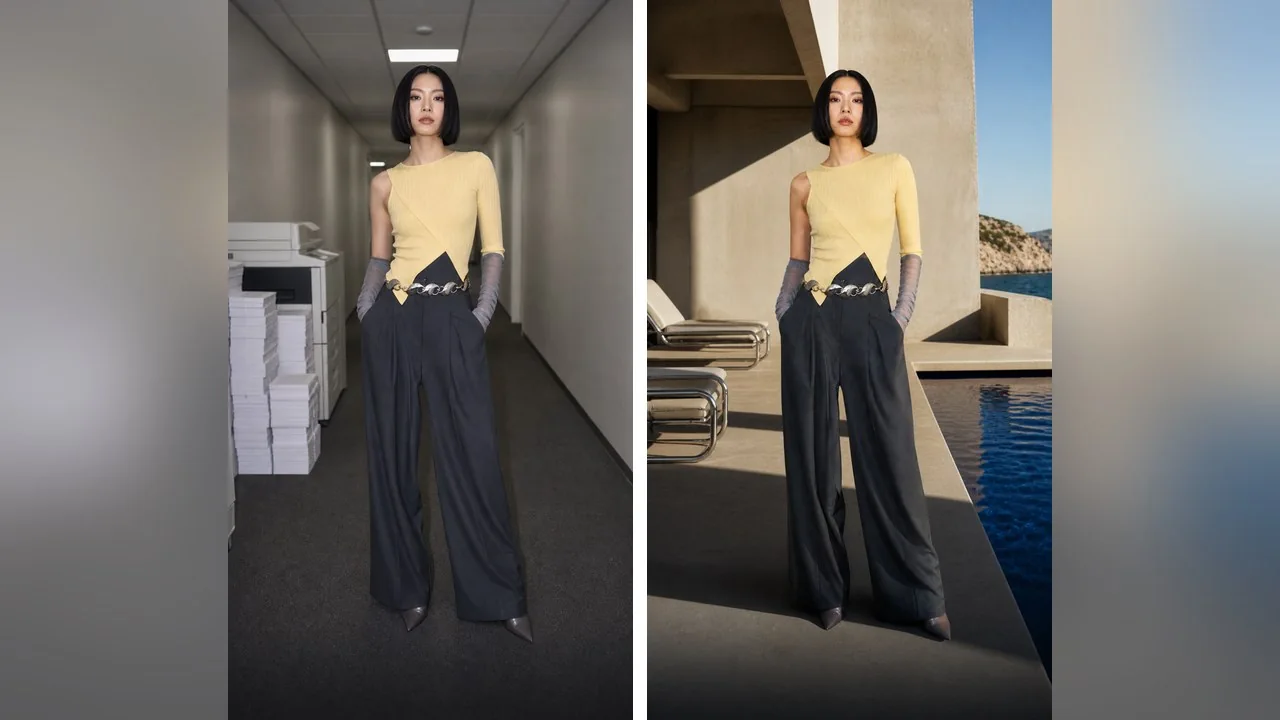
The limit runs the other way too. A browser tool returns a flat image or an MP4 with no layers, masks, keyframes or history, so the finishing still belongs in an editor, whether that is PhotoCraft or Photoshop.
Who should try the Crafting Apps right now?
- Linux users: this is the first family of Adobe-shaped editors with native Linux builds and no subscription.
- Students and hobbyists who need layers, a timeline or a RAW developer and would otherwise pirate or pay.
- Developers and agent builders: every app exposes hundreds of commands over a CLI and an MCP server.
- Not yet: studios exchanging PSD, .aep or .prproj files, anyone who depends on Adobe plug-ins, and photographers who need mature camera profiles and RAW support.
Check the roadmaps rather than the press. Each app scores itself in public, so in a month you can see whether PhotoCraft crossed 75% readiness or FilmCraft opened its first .prproj without reading another review.
Key takeaways
- The Crafting Apps are thirteen free, open-source Rust rebuilds of Photoshop, After Effects, Premiere Pro, Lightroom and others, all created between 30 September and 9 October 2026.
- PhotoCraft reached 60.4k stars and v0.9.0 on 14 October; its roadmap still rates it about 45% ready for real work, with 953 open issues and PSDs Photoshop does not yet reliably accept.
- EffectCraft and FilmCraft score themselves about 45% and 56% ready and cannot open .aep or .prproj projects; the app pages lag GitHub by two or three versions.
- The editors are free with no account; the separate AI studio needs a free account and sells credits from $8 a month billed yearly as of 15 October 2026.
- None of the apps generates pixels, so pair them with a browser tool for backgrounds, upscaling, outfits and generated clips, then finish in the editor.
Tools & Reviews Editor
Marcus Tan
I open every competitor's pricing page myself before writing a comparison, and I say plainly when another tool is the better pick.
FAQ
Common questions
Is PhotoCraft really free?
Yes. PhotoCraft and the other Crafting Apps are open source under Apache-2.0 or MIT, with free installers on getartcraft.com and GitHub and no account required. The team charges only for its separate AI studio, which sells generation credits; you do not need a studio plan to run any of the editors.
Is ArtCraft the same as PhotoCraft?
No. PhotoCraft is one of the thirteen Crafting Apps made by the same team, and the studio is a different product: an AI image and video app with hosted models and paid credits. The apps are free desktop editors; the studio needs a free account and meters generation.
Can EffectCraft open After Effects projects?
Not as of 15 October 2026. The EffectCraft README lists .aep and .aepx import as unsupported and says Adobe plug-ins do not work. It does import and export Lottie files and renders to H.264, ProRes with alpha, image sequences and GIF, so it can sit beside After Effects without replacing it.
Does FilmCraft replace Premiere Pro?
Its own README says about 56% ready for real work against Premiere Pro 26.5.2, measured on 10 October 2026. It cannot open .prproj files, has no VST3, Audio Units or OpenFX plug-ins, and runs colour and export on the CPU. It already handles a multi-track timeline, native codecs and a Lumetri-style grade.
Is it safe to download the Crafting Apps?
Download only from getartcraft.com/apps or github.com/storytold, where each release carries a SHA256SUMS file. Searches for the app names now return many look-alike domains offering installers; the project has not endorsed them, and we did not test what they ship.
Add the generative step the Crafting Apps leave out
Keep your layers and timeline in the suite, and run the AI edit in the browser: describe the change, get a flat result, bring it back as a layer. Free credits on sign-up; the cost is shown before you generate.
Related reading

Best AI Photo Editing Apps in 2026, Tested
Nine of the best AI photo editing apps run against the same two files: retouch a face, clean a scene, batch a set, export without a watermark.
10 min read
9 Canva Alternatives for 2026: Free and Paid Tools Compared
Nine Canva alternatives compared on pricing checked today, free tiers and AI features, plus a one-brief test you can repeat in Figma, Express and LazyKiwi.
10 min read
Remove Person From Photo: What Actually Works
How to remove person from photo edits that survive a 100% zoom: catch the shadow, protect the subject, and know when a crop beats reconstruction.
9 min read
Change Background of Photo: 3 Methods Compared
Change background of photo files three ways: white for IDs and listings, a real room for portraits, an invented scene for social. Edge and light rules.
9 min read